
Gaming & esport
8 Twitch panels included free — worth €4. Reference price: €32
Every alert is the climax of the episode.
Desktop 16:9 and vertical 9:16 layouts includedTwitch · BTTV
Every overlay ships with desktop 16:9 + vertical 9:16 layouts
Cover
1 / 22A tactical HUD: carbon panels, one volt signal, lock-on brackets.
One-time payment. Lifetime license. VAT calculated at checkout.
8 Twitch panels included free — worth €4. Reference price: €22
Already own it? Set it up
This is the real overlay running on sample data, in its desktop and vertical layouts at the same time. Nothing here touches your channel.
Gameframed · with cam
Connecting to the overlay…
Game and cam are simulatedCarbon surfaces, one volt signal and one ember warning, bracket corners that lock on, tick rails that draw themselves and names that decrypt.
Alerts climb from a kill-feed row to a banner across the band, a lock-on card and a short blast-door takeover; a scan line sweeps between scenes, the hype train runs as an overdrive gauge, and the band and side column keep everything off your game's own HUD. Three signal colours. Nine scenes (Starting soon, Game full screen with or without cam, Game with or without cam, Just chatting with or without cam, BRB, Ending) in one browser source that follows your OBS scene names, on one Twitch connection. Drag your cam and the floating pieces anywhere from your dashboard so nothing covers your game's HUD, and set the threshold and size of every alert level. Chat with BTTV emotes, English and French texts, all editable. Desktop 16:9 and vertical 9:16 included.
| Layouts | Desktop 16:9 (1920×1080) · Vertical 9:16 (1080×1920) |
|---|---|
| Reacts to | Follow, Sub, Resub, Gift subs, Bits, Raid, Shared chat, Hype train, Poll, Prediction, Counters, Chat, OBS |
| Live data from |
|
| Customization | 102 settings, saved with your license |
| Runs in | OBS Studio 31+ (browser source) |
| Channels | Yours + 1 extra channel (its owner approves it) |
| Style | Gaming & esport |
Yes. You pay once and the license is yours for life, updates included. There is no subscription and nothing to renew.
Each license runs on your Twitch channel plus one more channel of your choice, for example a co-streamer or a second account. Its owner approves it from their own Overlitch dashboard; until then it only shows chat, subs, bits and raids. You can change it later, and the old URL then stops working.
Straight from Twitch: follows, subs, resubs, gift subs, bits, raids, shared chat, hype trains, polls and predictions. Your overlay talks to Twitch directly from OBS. There is nothing else to connect.
On our servers, with your license: settings, language, texts and the images or audio you upload. Edit them in your dashboard and OBS picks the change up within a minute, no need to paste a new URL. We never store a password or card details.
Yes. Every overlay ships with a vertical layout with its own OBS URL. Same license, no extra cost.
Yes. We refund any purchase on request within 14 days, no questions asked. After that, we refund you if the overlay does not work as described and we cannot fix it. See the refund policy for details.
This pack also draws the panels of your channel's About section, in its own style. Edit their texts in your dashboard and download the PNGs.
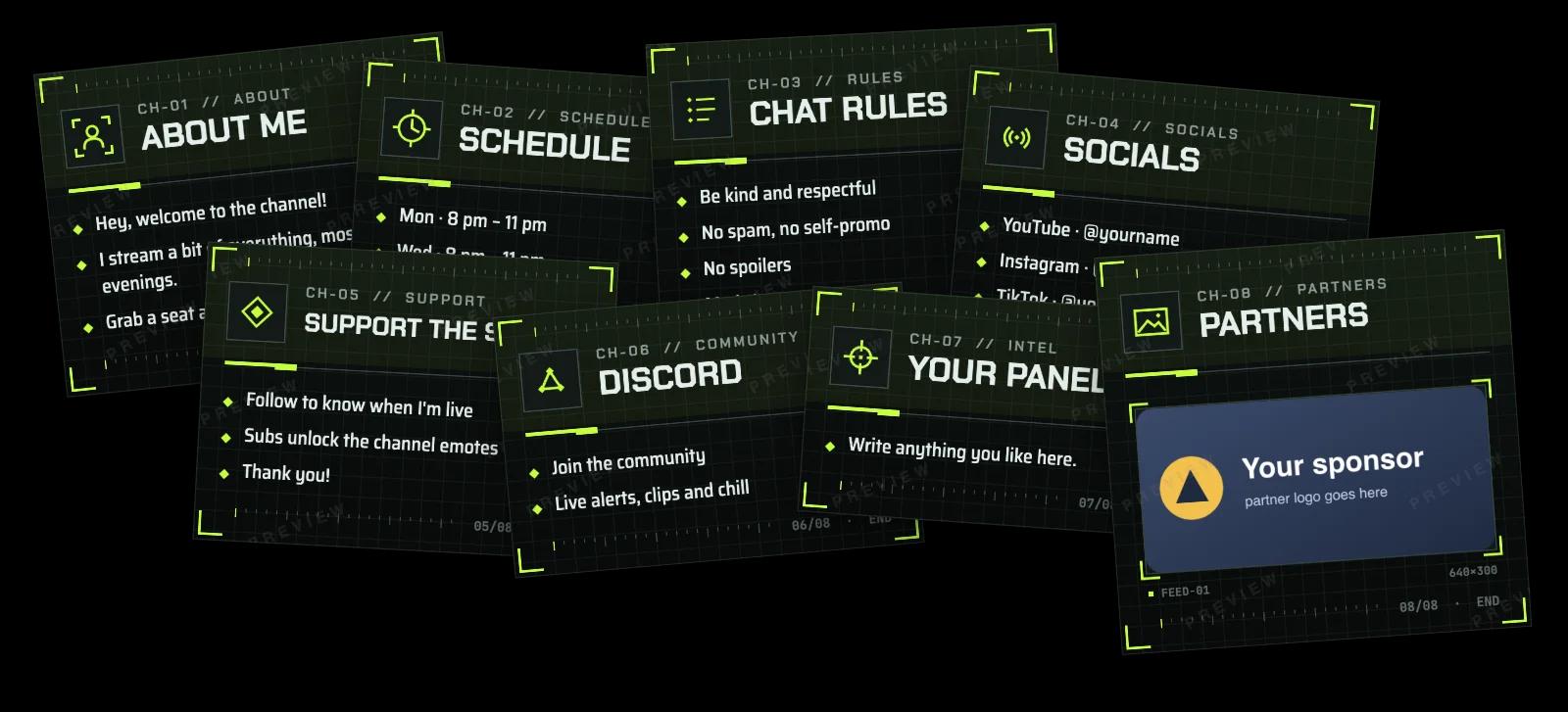
Up to 12 lines per panel, in English or French. The link goes in Twitch's own panel settings.
Built to stay light, so your game and OBS keep the room they need. Measured on its own over a full session.
Figures for the overlay alone, measured apart from OBS and your other apps.
8 Twitch panels included free — worth €4. Reference price: €32
Every alert is the climax of the episode.
8 Twitch panels included free — worth €4. Reference price: €22
A live circuit: neon tubes, sparks and a current that carries every event.
8 Twitch panels included free — worth €4. Reference price: €27
Your stream is a table of holographic collector cards.

